WatPlus.CoDownload APK
EN

Version 18.80 · Android · APK file

WhatsApp Plus for Android v18.80 2026

Download WhatsApp Plus Blue for Android and enjoy advanced privacy, security and customization features.

WhatsApp Plus is a third-party modified app and not an official version of WhatsApp. Using it may involve security risks and account restrictions.

Want more privacy, customization and control over your messaging? Download the latest WhatsApp Plus APK to get custom themes, advanced privacy settings, larger file sharing and extra messaging features for a more personal experience.

WatPlus.co offers WhatsApp Plus APK, a modified version of WhatsApp, not Meta's official WhatsApp Plus subscription service.

Download WhatsApp Plus latest version 2026

Download WhatsApp Plus APK Latest Version November 2026

Download the latest version of WhatsApp Plus and get premium features like message scheduling, auto-replies, a message translator, hiding blue ticks and your online status, anti-delete messages and statuses, and much more. The latest version also claims advanced anti-ban protection, although its effectiveness is not guaranteed and your account may still be suspended.

What is WhatsApp Plus APK?

WhatsApp Plus is a modified version of the official WhatsApp app that offers advanced features such as a built-in app and chat lock, with more control over privacy and customization. You can change font styles, the app's look and themes. Its interface is similar to official WhatsApp, but it gives you more customization options and control.

WhatsApp Plus is not available on the Google Play Store or the Apple App Store. It is distributed through third-party websites such as WatPlus.co.

WhatsApp Plus was originally developed in 2012 by Rafalete, a developer from the XDA community. Later, developers such as AlexMods released updated versions with extra features.

WhatsApp Plus APK at a glance

DetailInformation
App nameWhatsApp Plus
Latest versionv18.80
File size124,8 MB
Android requirementsAndroid 5.0 or higher
CategorySocial & messaging
File formatAPK
Rating4,7/5
Total downloadsOver 20 million
Original developerRafalete
Current developerAlexMods
Last updatedNovember 2026

Why do people use WhatsApp Plus?

  • Advanced privacy features: Freeze your last seen, hide typing and recording indicators, and set privacy options for each contact.
  • Extra security controls: Use the built-in app and chat lock to restrict access to private conversations.
  • Multiple accounts: Manage several WhatsApp accounts on the same device without constantly switching apps.
  • More customization: Customize chat bubbles, notification icons, fonts, colors and the overall look of the app.
  • AI-powered features: Some recent versions claim to offer AI-assisted messaging, smart replies and improved translation tools.

What's new in the latest version of WhatsApp Plus (November 2026)?

The WhatsApp Plus v18.80 update focuses on privacy controls, easier communication, interface customization and app performance. These are the features and improvements reported in recent versions.

Recent updateWhatsApp Plus v18.80
Versionv18.80
DateNovember 2026
What's new10 changes

Improved anti-ban protection

The updated anti-ban mechanisms aim to reduce the risk of account suspension, but they do not guarantee protection against WhatsApp bans.

No guarantee of protection

Improved ghost mode

Manage several privacy preferences from a single option, without setting each one separately.

AI-assisted messaging

Use the announced AI tools to generate images, draft messages and improve everyday communication.

Redesigned theme engine

Explore extra customization options with better theme management and interface controls.

Longer status duration

Get more flexibility to choose how long your shared statuses stay visible.

Edited message history

See earlier versions of edited messages without losing the original context of the conversation.

Improved message translation

Communicate in different languages with translation tools built into your chats.

Quick theme switch

Switch between light and dark mode right from the main screen.

Advanced chat management

Organize important conversations, pin notes and manage your personal and work chats more easily.

Performance improvements

According to reports, the update fixes unexpected crashes, loading delays and interface lag found in earlier versions.

Download WhatsApp Plus APK for Android

You can download the latest WhatsApp Plus APK by tapping the button above. Before downloading it, make sure your Android device meets the following minimum system requirements.

System requirements

RequirementDetails
Android versionAndroid 5.0 or higher
Storage spaceAt least 200 MB free
RAM1 GB or more
Internet connectionStable internet connection
Unknown sourcesRequired to install third-party APKs
Important: Installing unofficial APKs can expose your device to security risks and get your account suspended. I recommend keeping Google Play Protect turned on.

How to install WhatsApp Plus on your Android phone

Before installing WhatsApp Plus APK, go through the following steps and precautions.

  1. Step 1

    Back up your data

    Save your messages, photos, videos and important documents so you don't lose anything.

  2. Step 2

    Find the downloaded APK file

    Open your file manager, go to the Downloads folder and find the WhatsApp Plus APK file you downloaded.

  3. Step 3

    Check the APK file

    Make sure the file is complete and scan it for possible security threats.

  4. Step 4

    Review the install settings

    Android may ask for permission to install apps from unknown sources. Think carefully about the security risks that come with this permission.

  5. Step 5

    Read the install prompt

    Check the app details and the permissions it requests. Don't continue if Android shows a security warning.

  6. Step 6

    Check the app's permissions

    Avoid granting unnecessary access to your personal information and keep Google Play Protect turned on.

With an emulator

WhatsApp Plus for PC

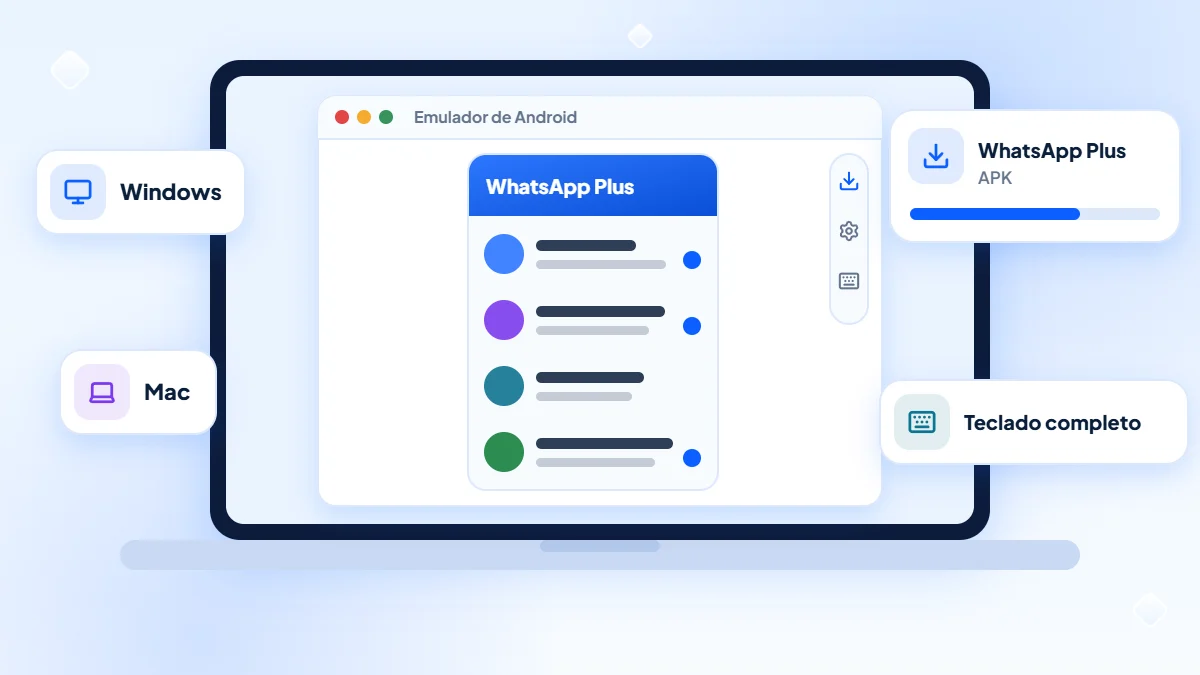
WhatsApp Plus has no official version for Windows or Mac, but you can use it on your computer with an Android emulator such as BlueStacks. Install the emulator, open the APK inside it and follow the same steps as on a phone.

See the full WhatsApp Plus for PC guide
Not recommended

WhatsApp Plus for iPhone (iOS)

Because of Apple's strict security, it is very hard to install WhatsApp Plus on an iPhone. Some people use it through a jailbreak, but that removes system protections and puts your data and account at risk. That's why I recommend not using WhatsApp Plus on iOS.

WhatsApp Plus versions by developer

WhatsApp Plus doesn't have a single creator. Several developers, known as modders, publish their own builds, each with its own numbering, features and update pace. That's why two files called "WhatsApp Plus" can be very different from each other.

AlexMods

WhatsApp Plus v18.80
Version on this page

This is the build we link to on WatPlus.co and the basis of this guide. It gets frequent updates.

Download v18.80

FouadMods

WhatsApp Plus v18.70

A developer also known for other mods such as YoWhatsApp. Publishes their own build with independent numbering.

Download v18.70

YesiiMods

WhatsApp Plus v17.50

An independent developer with their own version of WhatsApp Plus. Check the release date before installing it.

Download v17.50

SamMods

WhatsApp Plus v9.80

Uses different numbering (v9.x), so don't compare it directly with other developers' 18.x versions.

Download v9.80

Which version is right for you?

You want the newest

Choose AlexMods v18.80, the version we keep up to date on this page.

You already use another developer's mod

Update with the same developer. Mixing builds can cause errors when restoring your backups.

Your phone is old

If the current version fails, try an older version from the list below, although it will have fewer fixes.

Download older versions of WhatsApp Plus

An older version can help if the newest one doesn't work on your phone, if you miss a feature that was removed, or if an update caused problems. Keep in mind that older versions lack the latest fixes, and WhatsApp is more likely to ask you to update or restrict your account.

  1. WhatsApp Plus 18.70APK for Android · older version
    Download 18.70
  2. WhatsApp Plus 17.60APK for Android · older version
    Download 17.60
  3. WhatsApp Plus 9.35APK for Android · older version
    Download 9.35
  4. WhatsApp Plus 9.27APK for Android · older version
    Download 9.27
  5. WhatsApp Plus 9.11APK for Android · older version
    Download 9.11
  6. WhatsApp Plus 8.35APK for Android · older version
    Download 8.35
Before going back to an older version: back up your chats. Android usually doesn't let you install an older version over a newer one, so you'll need to uninstall the current one first.

WhatsApp Plus features: everything you can do

WhatsApp Plus keeps everything you already know from WhatsApp —chats, calls, groups and statuses— and adds settings the official app doesn't offer. We've grouped them by what they solve in your daily life and added screenshots of the menus so you know where to find each option. Names and locations may vary slightly between versions.

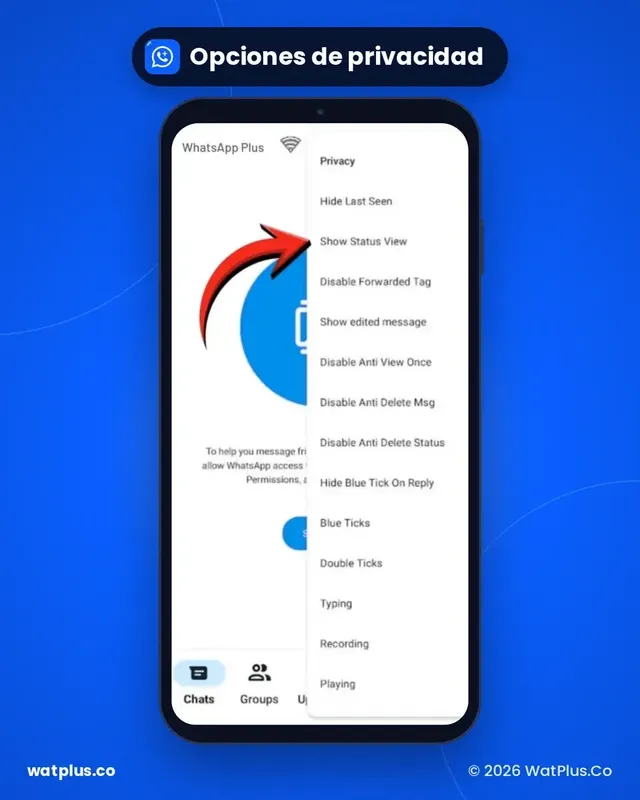
WhatsApp Plus privacy menu with options to hide last seen, blue ticks and typing status
Privacy menu: hide last seen, ticks and "typing".

Privacy: you decide what others see

This is the main reason many people install WhatsApp Plus. The privacy menu screenshot shows options like Hide Last Seen, Hide Blue Tick On Reply, Typing and Recording, so you can choose which activity signals reach your contacts.

  • Ghost mode: turns on several privacy options with one switch, without checking each setting separately.
  • Last seen and "online": freeze your last seen time or stop showing when you're online.
  • Read and delivery ticks: read messages without triggering the blue double tick; some versions also hide the second grey tick.
  • "Typing…" and "Recording…": nobody knows you're writing a reply until you send it.
  • Incognito statuses: view your contacts' statuses without appearing in their viewers list.
  • Anti-delete: keeps messages and statuses the other person deletes (Anti Delete Msg and Anti Delete Status in the screenshot).
  • Anti "view once": lets you reopen view-once photos and videos. Use it respectfully: the sender expects them not to be saved.
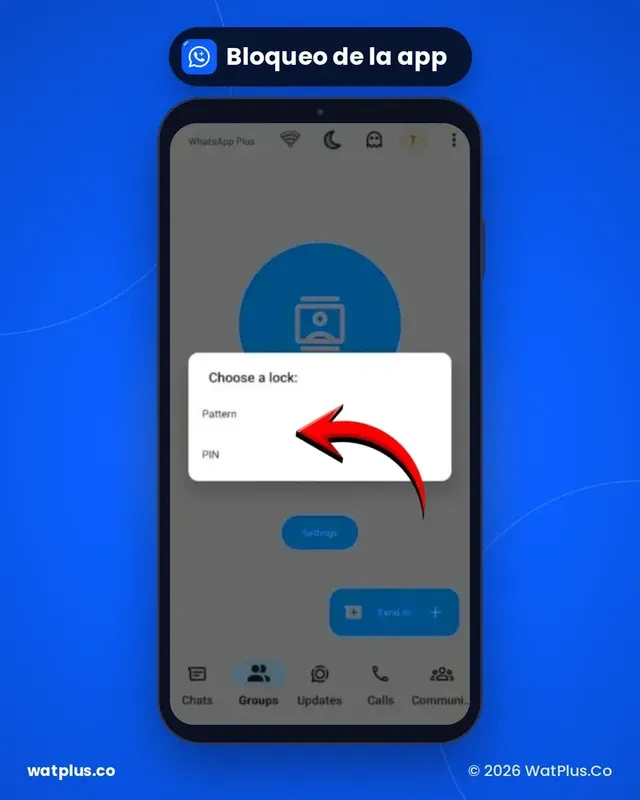
WhatsApp Plus screen to choose an app lock with pattern or PIN
Choose a lock: pattern or PIN.
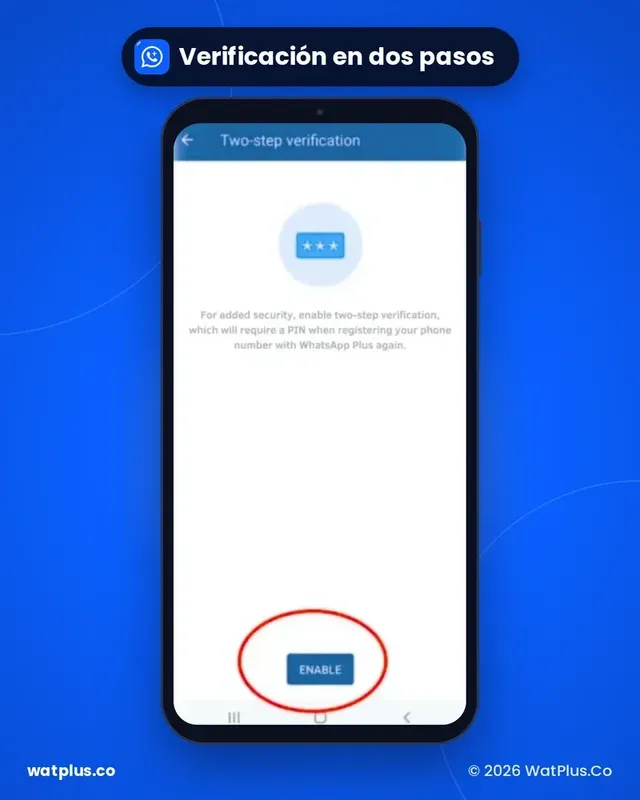
WhatsApp Plus two-step verification screen with the button to turn it on
Turn on two-step verification.

Security: locks and verification

WhatsApp Plus adds layers of protection so nobody can open your conversations if you leave your phone unlocked. The screenshots show the pattern or PIN lock picker and the screen to turn on two-step verification.

  • App lock: protects the whole app with a pattern, PIN or fingerprint, depending on what your phone supports.
  • Lock specific chats: leave your normal conversations open and lock only the most private ones.
  • Two-step verification: asks for a six-digit PIN when your number is registered on another device. Always turn it on: it's the most useful defense if someone tries to steal your account.
  • Anti-ban protection: developers advertise it to reduce bans, but no version can guarantee your account won't be suspended.
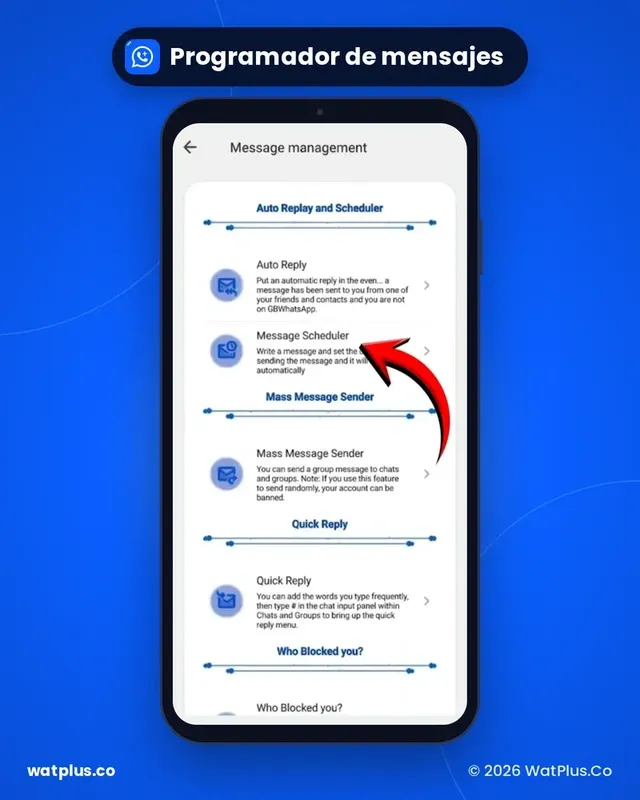
WhatsApp Plus Message management menu with auto-reply, scheduler and bulk sending
Message management: auto-reply, scheduler and bulk sending.
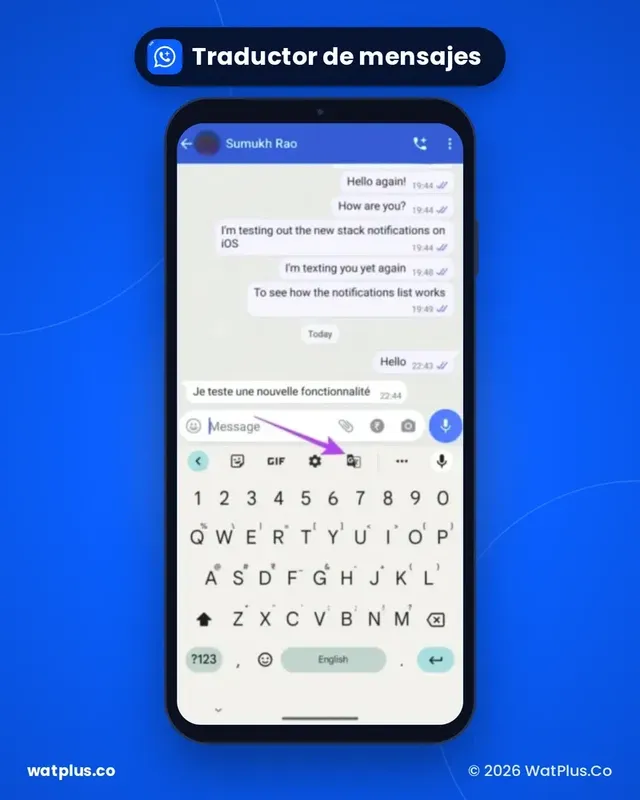
WhatsApp Plus conversation with the message translator button next to the keyboard
Translator inside the conversation.

Messaging: reply and stay organized faster

The Message management screenshot shows these tools live in one menu: Auto Reply, Message Scheduler, Mass Message Sender and Quick Reply. They're especially handy if you handle customers or large groups from your personal number.

  • Auto-reply: answers for you when you're busy, with different messages for each contact or group.
  • Message scheduler: write a reminder or a birthday message today and have it sent at the time you choose.
  • Quick replies: save phrases you use a lot and send them with a couple of taps.
  • Bulk sending: send the same message to several contacts without creating a broadcast list. Avoid using it with strangers: WhatsApp may treat it as spam.
  • In-chat translator: translates messages without leaving the conversation; the screenshot shows the translate button next to the keyboard.
  • Chat without saving the number: start a conversation with a new number without adding it to your contacts.
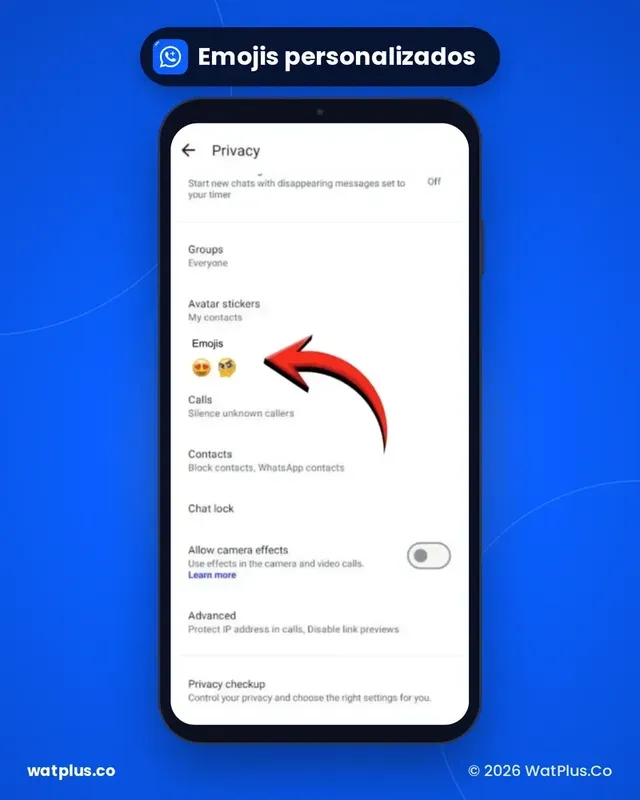
WhatsApp Plus settings with the custom emoji option highlighted
Settings with the custom emoji option.

Customization: an app with your style

This is where WhatsApp Plus really stands apart from the official app. You can change almost everything you see, from the color of the top bar to the shape of the bubbles. The screenshot shows the custom emoji option in the settings.

  • Theme store: apply complete themes without reinstalling the app.
  • Fonts, colors and icon: change the typeface, the interface palette and even the home screen icon.
  • Wallpapers per chat: set a different image for each chat or group.
  • Bubbles and ticks: pick different styles for message bubbles and read indicators.
  • More emojis: use extra emoji packs on top of the official ones.
  • Notifications per contact: give important people their own tone or vibration.
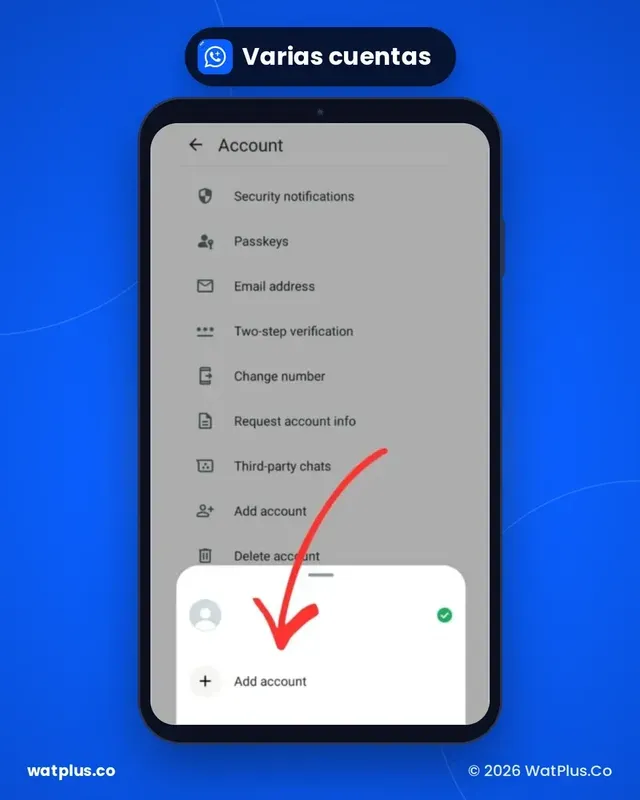
WhatsApp Plus Account menu with the option to add a second account
Add a second account.
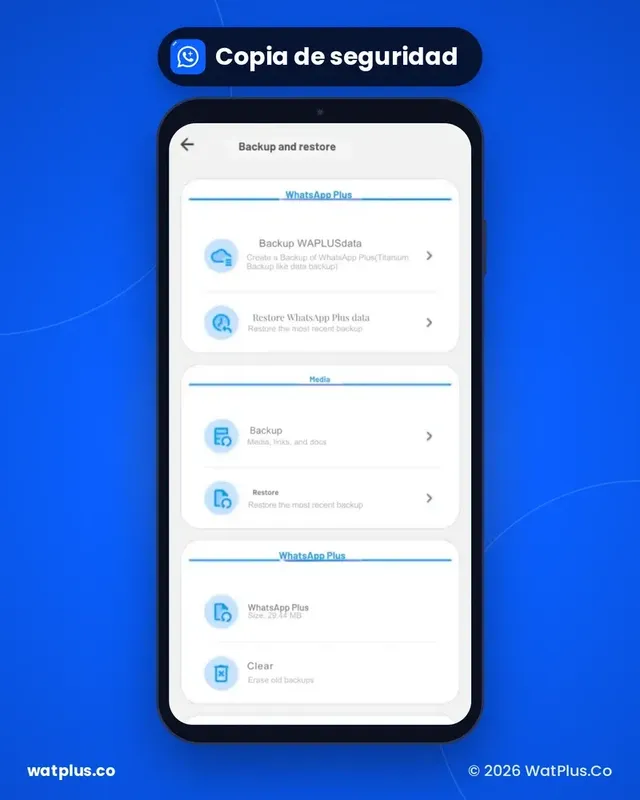
WhatsApp Plus backup and restore menu
Backup and restore.

Accounts and backups

Two features you'll appreciate the day you change phones or need to separate work from personal life. The screenshots show the Add account option under Account and the backup and restore menu.

  • Several accounts on one phone: use your personal and work numbers in the same app without logging out.
  • Backup and restore: save your chats and recover them when you reinstall. Make a backup before every update: it's the step that prevents the most losses.

Media and statuses

Larger files

Send videos and documents beyond the official app's limit. The exact cap changes between versions, so check it before sending something heavy.

Photos in original quality

Share images without the compression that reduces their sharpness.

Download statuses

Save your contacts' status photos and videos to your gallery.

Auto-download control

Decide which file types and sizes download automatically to save mobile data.

Voice note speed

Listen to long voice notes faster or slower.

Before turning everything on: many of these features change how your contacts see you, and some, like bulk sending or anti-ban, depend on rules WhatsApp can change at any time. Turn them on gradually and keep only the ones you really use.

WhatsApp Plus vs official WhatsApp vs Meta's WhatsApp Plus

Since 2026 the name has caused confusion: Meta launched a paid subscription also called WhatsApp Plus, which has nothing to do with the modified APK. This table compares the three options at a glance so you can choose with confidence.

FeatureWhatsApp PlusUnofficial APKOfficial WhatsAppFree appMeta's WhatsApp PlusOfficial subscription
The basics
Who publishes itModdersMetaMeta
PriceFreeFreeFrom $2.99/month
Where to get itExternal APKPlay Store and App StoreInside the official app
Available on iPhoneNoYesYes
Official supportNoYesYes
Automatic updatesNoYesYes
Risk of suspensionYesNoNo
Privacy
Hide blue ticksYesYesYes
Hide "online"YesLimitedLimited
Freeze last seenYesNoNo
Hide "typing…"YesNoNo
See deleted messagesYesNoNo
Customization
Themes for the whole appYesNoYes
Custom iconYesNoYes
Premium stickersNoNoYes
Pin more than 3 chatsYesNoYes
Tools
Schedule messagesYesNoNo
Auto-replyYesBusiness onlyNo
Two accounts on one phoneYesYesYes
Chat lockYesYesYes

Official app and subscription details checked against public information from Meta and tech media in November 2026. The subscription price varies by country, and it isn't available for WhatsApp Business accounts. APK features may vary between versions.

Quick verdict

Choose WhatsApp Plus (APK) if advanced privacy and extra tools matter most to you, and you accept the risk of suspension.

Stick with official WhatsApp if you use WhatsApp for work, banking or official matters and don't want to risk your number.

Pay for Meta's WhatsApp Plus if you only want exclusive themes, icons and stickers without leaving the official app.

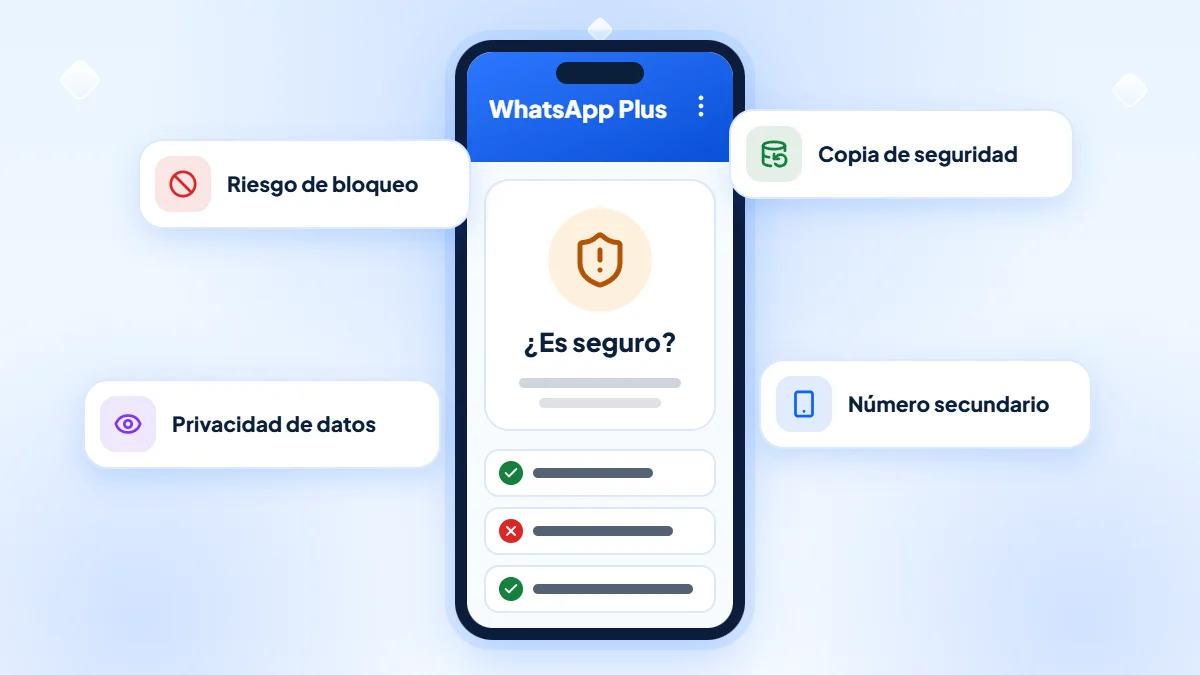
Is WhatsApp Plus safe to use?

Short answer: it's not as safe as official WhatsApp. The risk mainly depends on where you download the APK, what permissions you give it and how much your number matters to you.

The file

Most problems come from fake or tampered APKs. The same file can circulate under different names, so the name or version number proves nothing.

Your account

Meta warns that unofficial apps can lead to temporary or permanent suspensions. No "anti-ban" system removes that risk completely.

Your data

This kind of APK requests dozens of permissions, such as contacts, microphone, storage or sending SMS. It also isn't signed by Meta, so Android can't confirm who made it.

How to check it yourself in 5 steps

  1. Scan the APK before installing it: upload it to VirusTotal or search its SHA-256 hash and see how many antivirus engines flag it.

  2. If several antivirus engines detect it, don't install it: look for another source instead of ignoring the alert.

  3. Turn on two-step verification: it protects your number even if someone gets your registration code.

  4. Keep Google Play Protect on: and don't turn it off to complete the installation.

  5. Don't risk your main number: if you use it for work, banking or official matters, stick with official WhatsApp.

How to update WhatsApp Plus to the latest version

Since it doesn't come from the Play Store, WhatsApp Plus doesn't update itself. This is what I do every time a new version comes out:

  1. Back up your chats: in Settings > Chats > Chat backup, before touching anything.

  2. Download the new APK: from this page and, if possible, from the same developer you already use.

  3. Install it over the old one, without uninstalling: that way Android keeps your chats and settings.

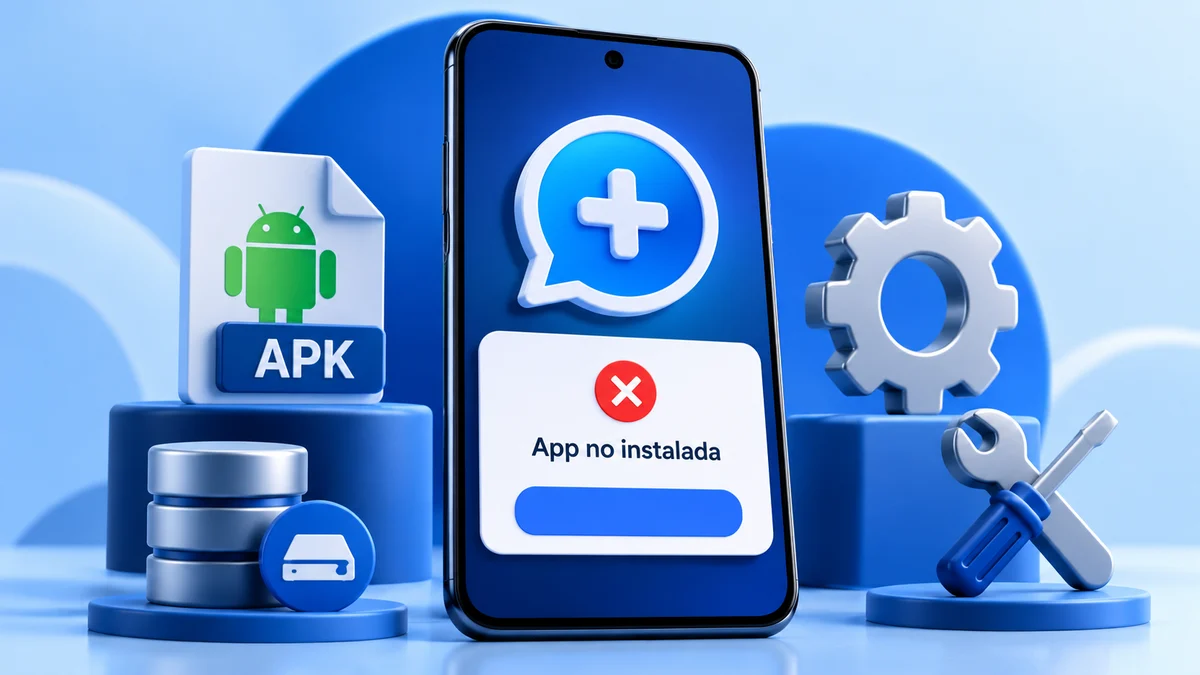
  4. If you see "App not installed": the file is signed with a different key. Don't force it: keep your backup and check the guide for that error.

Full guide to updating without losing chats

How to move your chats from WhatsApp to WhatsApp Plus

When I checked the APK on this page, I saw it uses the same package as the official app (com.whatsapp), so you first have to uninstall WhatsApp. That's why the order matters:

  1. Create a local backup: in official WhatsApp, go to Settings > Chats > Chat backup and tap Back up.

  2. Save the folder: with your file manager, copy Android/media/com.whatsapp/WhatsApp to another location, such as Downloads.

  3. Uninstall official WhatsApp: and move the folder back to its original place.

  4. Install WhatsApp Plus: verify the same number and tap Restore when it's offered.

Note: the Google Drive backup usually doesn't show up in modified versions. Always use the local backup.
Full backup and restore guide

How to fix the most common WhatsApp Plus problems

Almost every issue people ask me about comes up again and again. Before deleting data or reinstalling blindly, find your case here:

"App not installed"

You have official WhatsApp or another version signed with a different key. Make a backup, uninstall the old one and install again.

See the full fix

It crashes or won't open

Restart your phone and confirm you have Android 6.0 or higher, the minimum this APK requires. Then reinstall the same version over it.

See the full fix

The code doesn't arrive

Wait for the timer to finish and request a call. Never share that code with anyone, not even "support".

It asks to update or says it "expired"

Download the latest version from this page and install it over the old one, without uninstalling.

See the full fix

Suspended account

Wait for the time shown in the notice and go back to official WhatsApp. Insisting with the mod can make the suspension permanent.

See the full fix

WhatsApp Plus APK frequently asked questions

Does WhatsApp Plus still exist?

Yes. Several developers, such as AlexMods, keep releasing new versions; the latest on this page is v18.80. Don't confuse it with Meta's WhatsApp Plus, a paid subscription inside the official app.

How do I mention everyone in a WhatsApp Plus group?

Type @ in the group chat and choose @all from the list. If your version doesn't show that option, mention each person separately. In groups with more than 32 members, only admins can use @all.

Can I use WhatsApp Plus and official WhatsApp on the same phone?

Not with this APK. It uses the same package name as the official app (com.whatsapp), so Android only lets you have one of them. If you need two numbers, use the multiple accounts option inside the app.

Is it legal to use WhatsApp Plus on Android, iPhone or PC?

Using it usually isn't a crime, but it does go against WhatsApp's terms of service. That's why the usual consequence is an account suspension, not a legal problem. This applies on any device.

How do I download WhatsApp Plus for free on a Samsung?

Download the APK for free from this page and open it from My Files > Downloads. On Galaxy phones with One UI 6.1.1 or later, Auto Blocker (Settings > Security and privacy) stops the installation; if you turn it off, remember your phone will be less protected.

What's the difference between WhatsApp Plus and GB WhatsApp?

Both are modified versions of WhatsApp with very similar features. WhatsApp Plus stands out for its blue icon and themes, while GB WhatsApp is often chosen for its privacy options. The risk of suspension is the same for both.

How often is WhatsApp Plus updated?

There's no fixed schedule: developers release a new version when official WhatsApp changes, usually every few weeks or months. The app doesn't update itself, so download the new APK and install it over the old one, without uninstalling.

How do I hide my "online" status in WhatsApp Plus?

Tap the three dots at the top, open the privacy menu and turn on the option to hide your last seen or online status. The name varies slightly by version; in some it appears as Hide Last Seen.

Can I move my chats from official WhatsApp to WhatsApp Plus?

Yes. Make a local backup in official WhatsApp (Settings > Chats > Chat backup) and save the WhatsApp folder from Android/media/com.whatsapp somewhere else. Then uninstall the official app, move the folder back, install WhatsApp Plus and choose Restore when you verify your number.

My experience with WhatsApp Plus

Paisa Rolo

Author and editor of WatPlus.co

Before linking this file, I downloaded it and checked it inside. It weighs 124.8 MB, needs Android 6.0 or higher and uses the same package as official WhatsApp, so it replaces it instead of living alongside it. It's signed with a public Android test key, not by an identifiable developer, and on VirusTotal some antivirus engines flag it as a risk. My advice: if you want to try it, use a secondary number, back up your chats first and keep your main account on official WhatsApp.

↑